Introduction
The below narrative on presentations and presentation technology in context comes from five blog essays in 2015-2016. It documents some of the installations in HUMlab, Umeå University, as well as experiences from a series of environments and events (including an event in the making at the Graduate Center, City University New York). One important concern is curation.
Presentation|Tech (I): Preamble
First published September 2, 2015
This is the first installation in a short series of posts on presentations, presentation technology (software and infrastructure) and presentation culture (mostly within the academic setting). This first post gives some background to my personal interest in presentation technology and uses HUMlab as a key example of presentation infrastructure. I take the term ‘presentation’ to also include practices that I would more readily describe as enacting, narrating, performing and interpreting. I am hoping that some of this writing/thinking will be useful for a book project of mine.
My interest in presentation software most likely comes from my interest in presentations, storytelling, screens and infrastructure. Over the years I have tried quite a few different presentation technologies and I have planned and implemented (with a great deal of help) different kinds of presentation infrastructure. In creating HUMlab, we created a space and infrastructure for enacting, articulating, interpreting, performing and presenting. It presents an experimental and exploratory possibility with the support of an expert team. I think it is fair to say that we pushed the envelope in the sense of trying new things out and not always having everything sorted out before we started. I need to stress that an operation such as HUMlab depends on people more than infrastructure, and the infrastructure comes to life through people.
A particularly precarious example of this risk taking is when we did the inauguration for a new large-scale initiative in 2009, drawing on a screen infrastructure and touch functionality that were not quite implemented. There are two videos (video 1 and video 2) from the event (in Swedish), when the County Governor and myself managed a fairly tricky situation well (especially given that we had university leadership, funding agency heads, regional leadership, international visitors and more in the audience). We were lucky the system actually started to work … eventually.
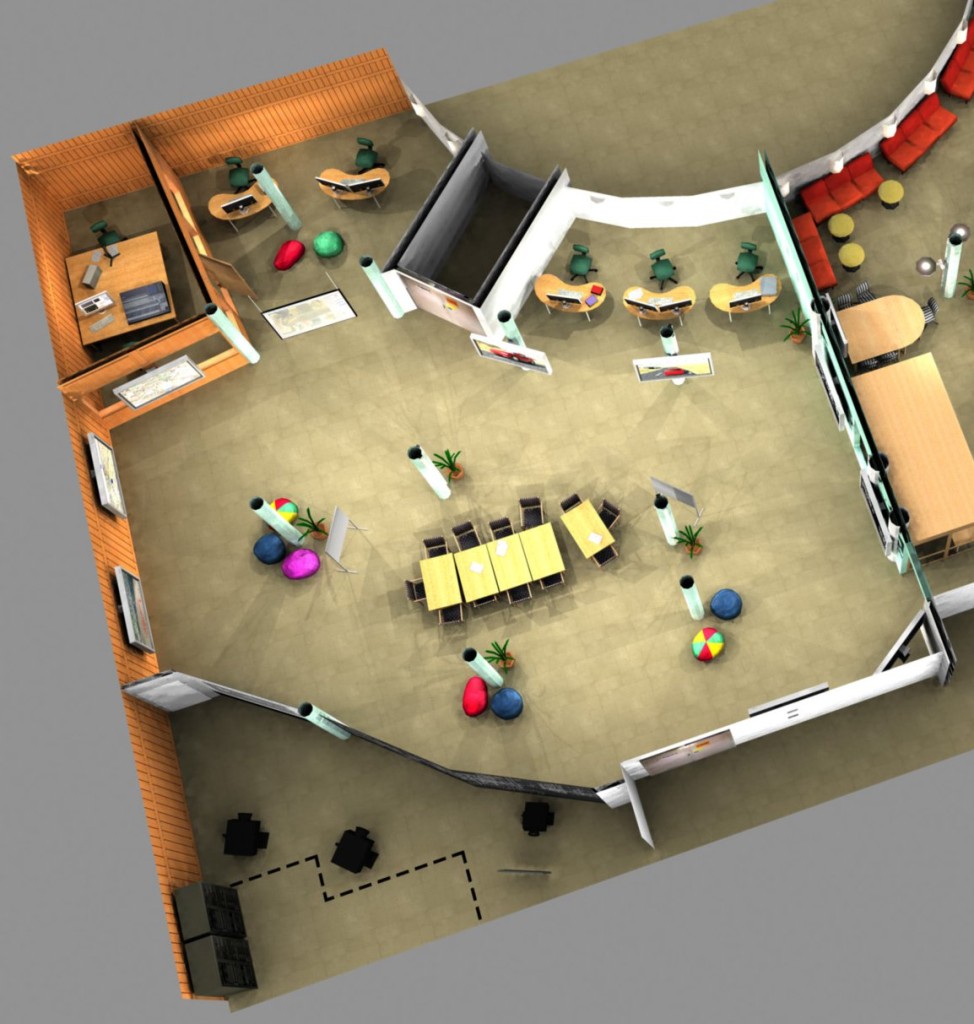
The space in question has eleven screens around. If you have ever been to HUMlab you are likely to have seen it as we often use it. I am happy with the way this space turned out – it is versatile, attractive, useful and conceptually strong. It incorporates (among other things): peripherally placed screens (and associated interaction technology), normally a centrally placed seminar table (surrounded by wallpapered pillows), nooks for individual work, and a large open space that can be used for events, performances or exhibitions.
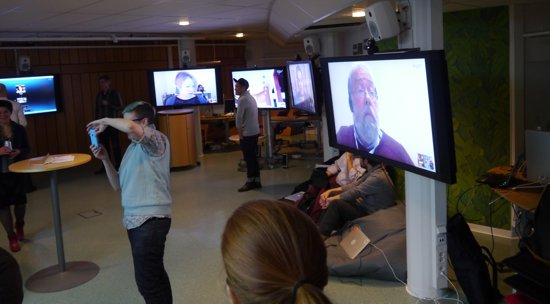
From Sorting the Digital Humanities Out (December 2013)

The visualization below is one of the earliest material concepts for the space (on the left hand side – at this point this space had not been incorporated in HUMlab).
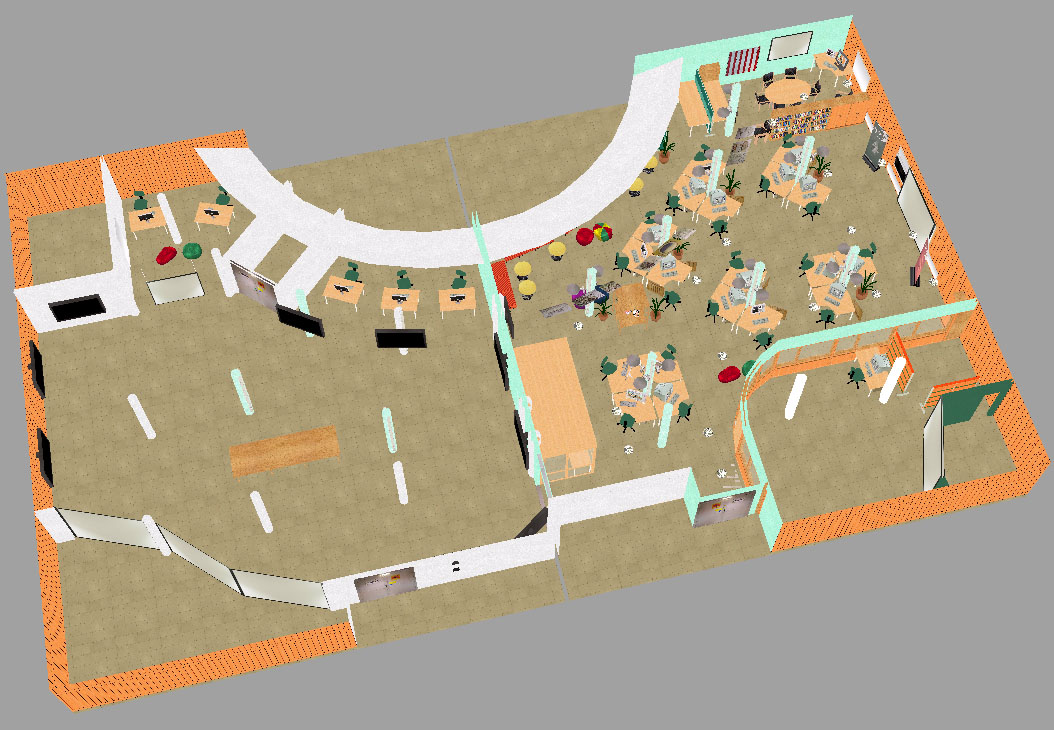
All the renderings and concept drawings I have of this space include the central table. It is as important as the screens (if not more important). For various reasons, the setup displayed here did not quite come true, but the concept remained, as can be easily seen in the current setup. The angled screen setup (the three screens in the lower left corner), however, did not come true until much later (and then as a two-screen angled setup). As a whole, the space is both flexible and static. For instance, the arrangement of the screens was carefully chosen and is fixed, while most of the space can be rearranged. I have written more extensively on this space, infrastructure and design principles in the DHQ article “From Optical Fiber to Conceptual Cyberinfrastructure”.
I have had a tendency to think of spaces the way I imagined then, which can be a problem sometime. While space and infrastructure need a certain degree of stability and conceptual core (I argue), you also need to be flexible and adapt to actual use and strong ideas of how the space can be used. One example I remember is when visiting research/art fellow Ele Carpenter started to do art-based sewing circle activities (as part of a large-scale project) in the lab and totally changed the space. She also had this screen cozy made (never, ever could I have imagined someone creating a cozy to cover one of the large screens part of the core infrastructure of the space. Here (pdf) is a leaflet for one of Ele’s open sewing circle events in the lab.
One of the challenges with creating alternative infrastructure (having more than one screen for instance) is that software and hardware systems do not necessarily work with your setup. Try running PowerPoint with several presentation screens for instance. In the case of the 11-screen space (HUMlab-2), we early on realized that we needed to think carefully about how we could actually deploy content to the infrastructure. I am glad we did not let the complexity of this issue stop us from actually building the infrastructure. Infrastructure is intimately connected to narrative possibilities. I think that one personal driving force has been interest in multiplexity – different ways of enacting complex arguments, data sets and perspectives. The infrastructure discussed above is one example of this interest.
Part of the original setup in HUMlab-2 was a media distribution system which allowed us to distribute content across the screenscape on a media signal level (allowing a certain number of sources). However, while this system allowed us to use the screenscape as a single display surface, it turned out that it was not capable to move windows/viewports around and do other dynamic actions in any convincing way (it was simply too “blocky” and slow). We also installed a single computer with a very large desktop (extending across the eleven screens), but it took time to get a computer with that many video outputs at this point (it is still a struggle if you want heavy-duty graphics power). Furthermore, also this system had clear limitations. How do you actually organize a presentation or narrative over multiple screens on the same desktop in any systematic way? Desktop interfaces are primarily made for production, not presentation. We also realized there were fairly trivial challenges – including the problems of moving a small arrow around on a screen at the other end of the space (15 meters away).
Although we invested in several systems to produce and deploy content in the screenscape, it has often been our own systems that have been most useful. Johan Von Boer’s work has been invaluable here. He started to use the clustered computers (intended primarily for the display wall infrastructure) early on as a kind of backbone for his own software systems that used the these computers to output content to the screenscape in a cohesive way.
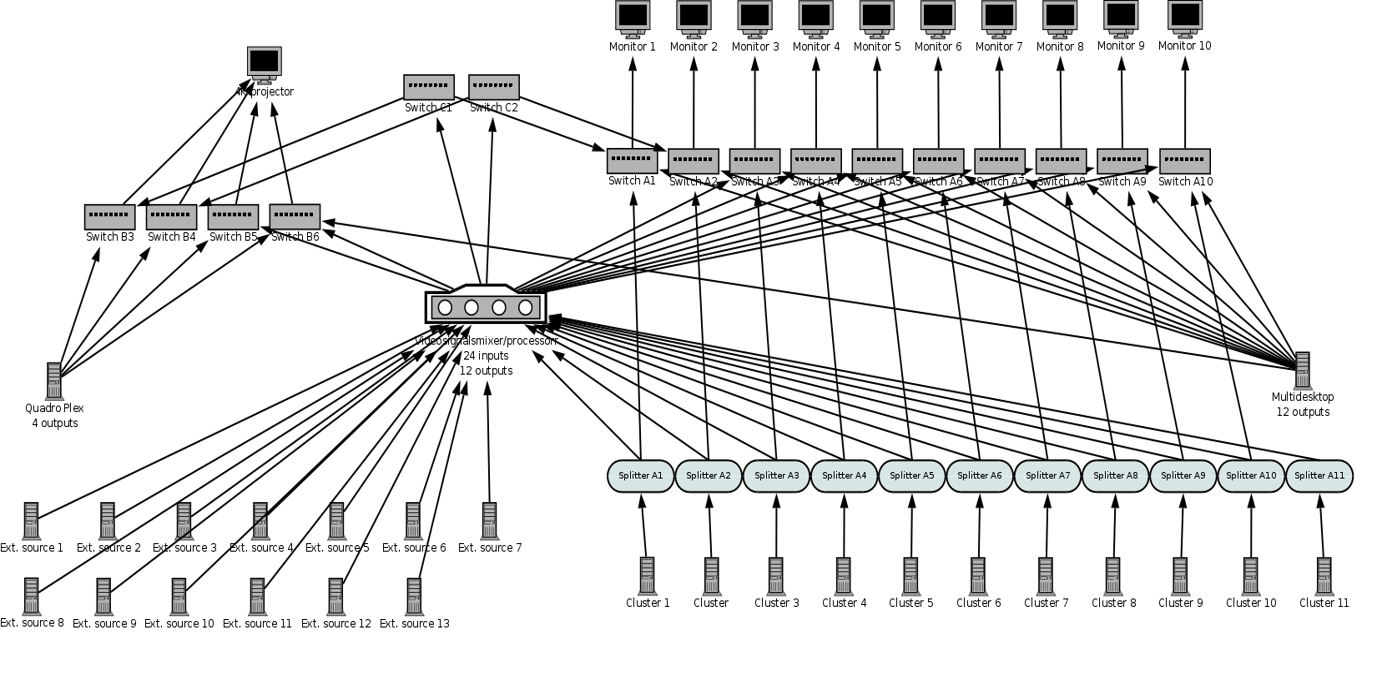
There is also a great deal of work to get a complex non-standard infrastructure in place. For instance, it is easier to run a standard single-screen widescreen setup than an irregularly shaped screenscape (computers expect screens to be rectangular and have certain display ratios). Furthermore, there is the complex work of installing cables, making sure that the signal strength is good enough, tweaking video and sound, installing other interaction technology and make sure it works with the system etc. The technology group at HUMlab made this possible through their expertise and hard work. Allowing for exploration is important and also realizing that experimental setups will not work as expected. At the same time, once experimental setups have been “naturalized” and taken into more general use (which usually takes quite a bit of time in a research and development environment), there have to be relatively fail-safe ways of using them (this does not exclude experimental work, but can at this time hopefully be done in such a way that it does not compromise the basic functionality).
The next post will be on performing scholarship.
Svensson, Patrik. 2015. “Presentation|Tech (I): Preamble”, Published on September 2, 2015.
Presentation|Tech (II): Performing Scholarship
First published September 21, 2015
This second post on presentation technology and presentation culture addresses some personal reflections on the role of presentations and performance in scholarly life. The first post can be found here.
Academic work and performance
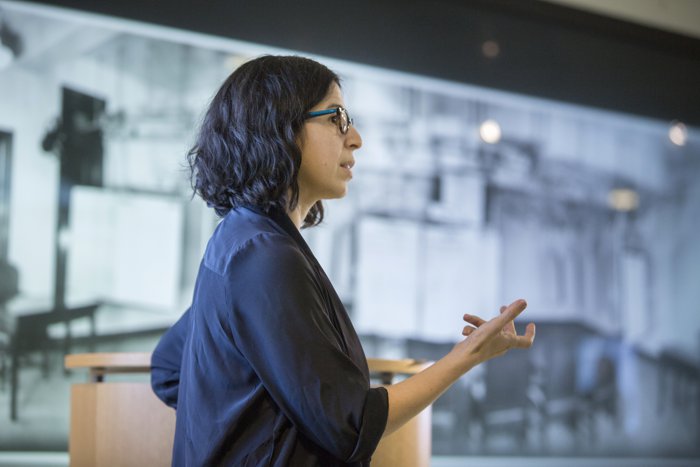
Erica Robles-Anderson at a HUMlab conference in Dec 2014 (photo credit: Johan Gunséus)
Most of us know the challenges and fun of doing job talks, asking questions at a conference, defending arguments in a seminar situation, doing our first 20-minute conference talk and waiting for that positive comment or pat on your shoulder that would confirm that you did a good job. Some of us also know the feeling when you do not get that confirmation – it is a feeling that is not necessarily proportionate to the actual situation. A seminar talk that did not work out very well despite careful planning can really make you feel bad. It is the the empty feeling of not having connected or been successful in terms of narrative and performance. And conversely, the ‘high’ of getting an energizing response, feeling things coming together and being able to respond well to questions. In any case, a seminar or conference delivery is not evaluated in the same way as a journal article or your collective scholarship (e.g. in a tenure portfolio).
We know that many of these occasions are ritualistic, hierarchical, positional and performative, and not just about the “content” or pure argument (if such a thing is possible). Scholars make themselves to some degree through their performance in such situations. And it is something that people care about (although they may not say so). I have recently gone through some literature and sources on academic conferences and seminars for a project on academic events, and one thing that strikes me is how much we are embedded in such performative structures. They are a given in many ways and while academics care about them, but there are also many things that are taken for granted/not questioned. While we (and I am talking as a humanist now) are keen on looking critically at knowledge practices elsewhere, I think we are generally not as keen to look at our own embedding critically.

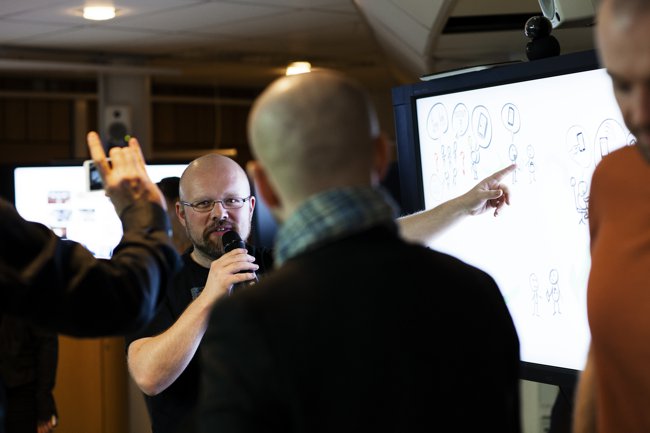
Mattis Lindmark very usefully on collaboration between technology experts and scholars (2013, photo credit: Elin Berge)
A few random observations from doing this reading: Senior scholars vary as how much support they give their Ph.D. candidates/junior scholars with respect to performance and managing academic events. Regardless, the literature points to how Ph.D. supervisors get concerned about their students if they are not seen as strong enough in seminar situations. Since public performance is a sensitive topic in some ways, I have a feeling that many supervisors do not go into (negative) details about their candidate’s performance – at least not in a Swedish context. There can be a structural sense of needing to help or allocate “talking space” for Ph.D. students, for instance through allocating a certain amount of time at the beginning of a seminar for Ph.D. students (a strategy that seems contrived and was not well evaluated in the case I read about, Tracy 1997). Another observation from the same book concerns how long-time seminar series are mainly remembered through people/participants rather than theme or arguments. The person(a) is important and unsurprisingly gets reiterated over time. The “how” (and “who”) is as important as the “what”.
Another useful example from the literature (Klineberg 1960) points to how a procedure that worked really well for a UNESCO conference – the first session being devoted to autobiographical statements by all the participants – did not work at all for another conference, where senior participants protested. They did not appreciate this process and having to something about themselves, and one might speculate that there are hierarchies at play here. Senior scholars may expect to be introduced by someone else and are probably also used to getting more recognition and presence than junior scholars. In the “Genres of Scholarly Knowledge Production” conference we ran in HUMlab in December 2014, we experimented with introduction strategies. We tried not to make a difference between introducing world-famous scholars and graduate students. You obviously always need to host everyone well and if you get the best scholars in the world, you want to make sure that they are welcomed and that their status is recognized, but on the other hand, everyone is likely to know about the accomplishments of “stars” (or they can check the person out online). Through not giving much more introduction time to stars, you even things out a little bit, although some of the basic structures are still there.
My own experience from scholarly performance comes from giving many talks and presentations (bad ones and good ones), but also from hosting in the range of 150 seminars in different seminar series, organizing more than ten large curated events, imagining and making presentation infrastructure, and having a strong interest in performance, delivery and the texture of academic life. My own training included very little in terms of practical training or even giving perspective on the role of public speaking and performing in the academy. I do not remember anyone ever giving concrete advice (at least not people at my department). I know there are differences between countries here (my experience comes mostly from Sweden and the US), but I have felt for a long time that there is a way the performance is both not important and quite important at the same time. Not important in the sense that it is not given serious/formal attention when appointing positions, making tenure decisions or assessing the quality of scholarship. Important in the sense that it contributes to “making” you as a scholar and through creating a ritualistic arena where positions and hierarchies get established. Great skills in performing your work, thinking on your feet and enacting ongoing scholarship are admired and considered in many contexts, but often not explicitly and not necessarily talked about a great deal in more formal contexts. There is a tension here I think between something that on the one hand may seem subjective (and dependent on qualities such as charisma, presence, verbal quickness and ability to stimulate engagement) and the idea of “pure” scholarship.
Changing patterns
Things have changed over the last decades with the emergence of what may be called presentation culture (Robles and Anderson forthcoming). There are differences between disciplines, but it would seem that slide-based presentations are becoming more common in many fields. This probably means that the practice of “reading” papers is getting decentered, or is at least more likely to be coupled with the use of slides and visuals. One of my colleagues at Umeå University once pointed out that what used to be talks, lectures and addresses seem to have become presentations. Presentation technology has played an important role in contributing to such standardisation of occasions of speech. An example: disputation defenses in Sweden used be very formal and ritualistic (and still are to some extent), but have changed as a result of the use of presentation software. When a specific point was brought up by the audience at a Ph.D. defense I recently attended, the defendant pulled up a couple of slides prepared in advance to respond to that anticipated question (I assume there might have been a range of such prepared “answers”/slide decks). The space was set up, as most such spaces are today, with a single screen and projection facilities. The opponent presented his main points using slides too.
When I presented a proposal for a major research foundation in the beginning of the 2000s I carried with me a projector and laptop (both clunky) to show slides. I had to move the chairperson of the committee in order to install the technology and it was very clear that the space (a stylish meeting/board room) had not been setup to allow for delegations to deliver their summary and argumentation using slides. It is very unlikely that this situation would arise now. I would not have to bring a mobile projector (I do not have one anymore) and it would almost certainly be the case that that there would be a presentation setup in the intended space. This infrastructural setup and the prevalent presentation culture would not only suggest the possibility of using digital slides, but strongly recommend the use of slides. Furthermore, it is likely that I would have been asked to submit a presentation file beforehand (for a smooth pre-staged presentation situation, but also possibly to give the committee members a look at the material beforehand). However, academic life (however much New Public Management and communication templates) has more freedom and flexibility here than the in parts of the commercial sector. I recently talked to a tax lawyer who said that he is given three slides (not negotiable) to present complex strategies and these have to fully conform to the company template.
Not having access to such technology is an exception. I was recently asked to do a brief (and important) presentation “without props”, and my understanding was that this is a way of making clear that slides were not permitted. I took it literally and did the presentation without any support from written notes. A useful learning experience, actually, as I found I could do something I normally do not do – carry out really important and time-constrained presentations without any notes or slides. This kind of delivery takes longer to prepare and is less “safe” (at least that is what I felt initially, but in actuality, I think I had a better sense of my argument as I had to structure it differently in terms of argument and rhetorical figures).
Good speakers
Good speakers are often also (but not always) good interlocutors. There are certain people I would never feel worried about in relation to the questions and answers session of a talk. They know what they are talking about, they are genuinely interested in feedback (I think this is a key aspect, and humbleness helps here too) and they can think quick on their feet. They also tend to have a strong presence (whatever that actually entails). All this (and other things to do with the delivery) is important, but of course they also will have content – high-quality work that that they enjoy talking about (whether a “finished” piece of work or work in progress-material). There is often also a quality of intensity and sharpness.
(two examples of strong speakers/interlocutors: Jonathan Sterne and Johanna Drucker, photo credit: Johan Gunséus)
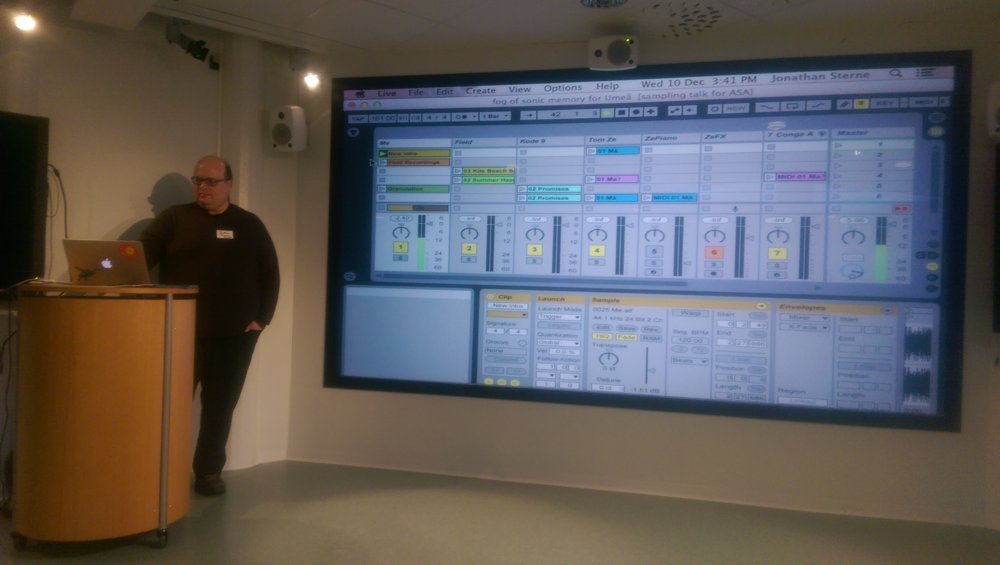
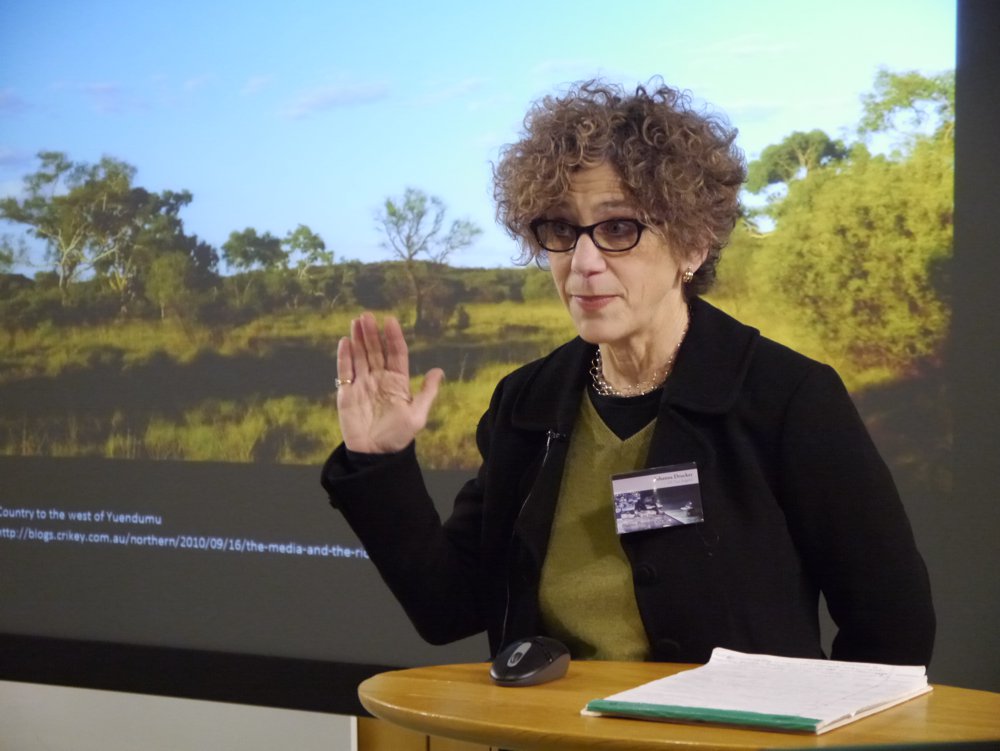
As noted, it is not good enough to be a good performer. The best talks have both – they have genuinely strong content and they are well delivered. Also, I think the best talks often have something more. I will get back to what I think this is in a later posting in this series. The next post in this series, however, will be on angled screens.
References
Klineberg, Otto. 1961/2001. “The Appreciation of Individual Idiosyncrasies”. In Capes, Mary (ed.), Communication and Conflict. Routledge.
Robles-Anderson, Erica and Patrik Svensson. Under review. “One Damn Slide After Another: PowerPoint at Every Occasion for Speech”.
Tracy, Karen. 1997. Colloquium: Dilemmas of Academic Discourse. Ablex.
Svensson, Patrik. 2015. “Presentation|Tech (II): Performing Scholarship”, Published on September 21, 2015. http://patriksv.net/2015/09/presentationtech-ii-performing-scholarship/.
Presentation|Tech (III): Angled Screens
First published September 29, 2015
One thing I noticed in the concept drawing of the lab (HUMlab, second section of the main campus lab) I discussed in the first part of this series is that there is an angled screen there. I use ‘angled screen’ (or ‘screens’) to refer to two or more adjacent screens set at an angle (not a flat surface, but an angled one with a distinct break between screens). Essentially frames have an angle too unless they lie flat against the wall (built in) or you see them at a distance. This small, infrastructurally focused and exploratory piece is about screens, angles and infrastructure (and not primarily about people and specific projects enacted using the infrastructure).
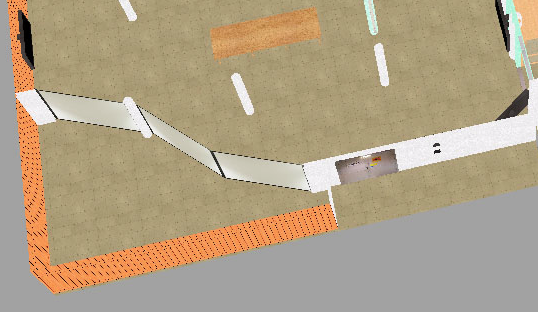
The above setup was never implemented in this exact way because the university decided to make space for an emergency exit (which they told us at a late stage) that changed the size of the space and made us reconsider the setup (although most of the original concept was kept). Looking at the three-part configuration above, I am not quite sure that this concept makes sense in that the left-most screen (of the three) does not seem to be connected to the other two screens. This setup was partly determined by the pillar. The angle would make it difficult to see all three screens at the same time unless you were standing far back in the space.
The basic idea was to have a multiplex setup instead of a very large, single screen. Offsetting screens in this way creates two (or more) distinct, but closely integrated surfaces. They speak to each other (at least the two right-most screens in this example) and encourage different types of arguments to be made compared to having a single screen or two screens juxtaposed (e.g. on a single wall with space in between) without the angle. The angle accentuates the frame and the screens as separate entities.
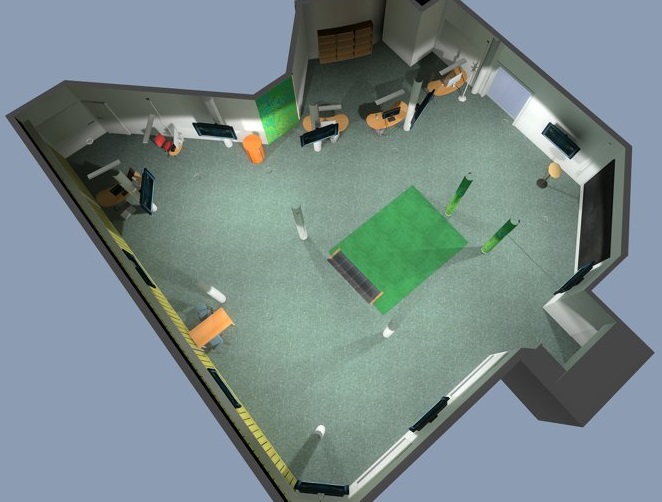
And the whole screenscape depends on angles (also beyond the three-screen setup) and different lines of sight, as can be seen in the below rendering from the final implementation of the same space. Pillars and corners are used as angled spaces to create a screenscape that includes most of the space, but not all of it. Nooks were created through the positioning of the screens (and using the contours suggested by the placement of the pillars).
It is not necessary to set screens at an angle to create meaningful framing different from having a single screen. If you place several screens next to each other on the same flat wall they manifest a different set of opportunities compared to a single screen setup. The practice in art history to use two projectors and screens is not dependent on angling the two screens, but rather the separate juxtaposed frames create a contrastive effect and a different viewing pattern than having a large central screen with two windows with the “same” content. Putting two or many images on the same screen is not the same thing as deploying them in individual frames. Statements like the following (by Lev Manovich, from here) seem to put too little emphasis on the epistemic tradition and the function of the framing.
However, if 20th century technologies only allowed for a comparison between a small number of artifacts at the same time – for example, the standard lecturing method in art history was to use two slide projectors to show and discuss two images side by side – we can now compare multitudes of images by displaying them simultaneously on a computer screen.
It is true, however, that there is a qualitative difference between being able to juxtapose a couple of images on different screens and throwing up hundreds of them on the same single (large) screen. There are few infrastructures that allow simultaneous display of hundreds of individually framed images (albeit there might be art installations and crowd use of mobile devices that would do this).
Also, it is possible to create visual and material breaks through working with the orientation of screens and the way single screens are configured. In the below example from HUMlab, I wanted to play with the contrast between landscape and portrait modes, and also to the positioning of the screens on the wall. In this photo the screenscape was used for a conference on digital humanities.
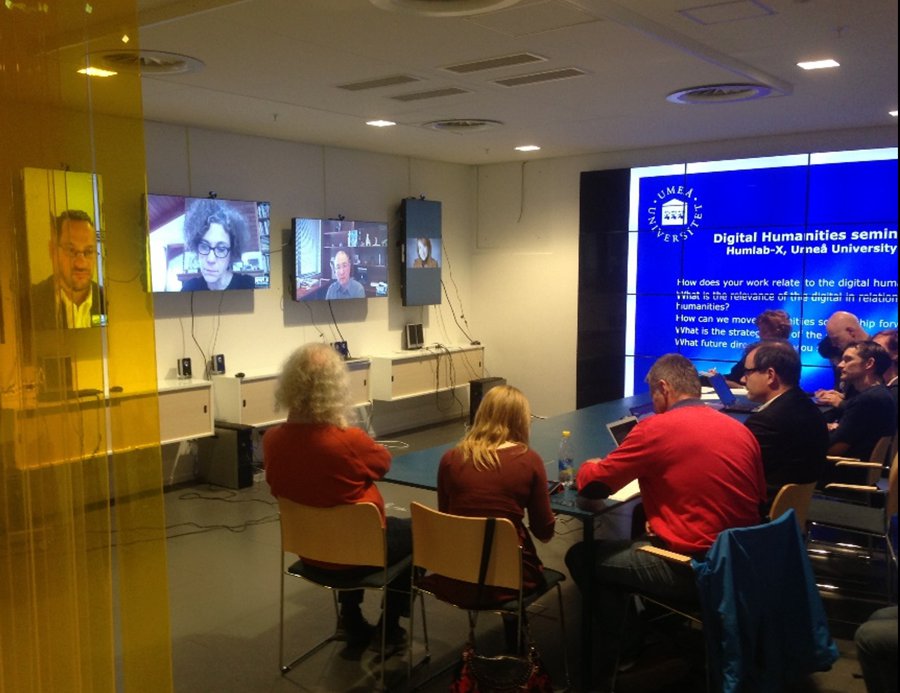
The right-most screen shows a still shot (of Cathy Davidson) rather than a live feed. Already this simple example shows that that portrait and landscape give very different impressions in relation to bringing people in. I also wanted two or three projectors on the opposite wall to allow duplication of images, but also different kinds of experimental modalities (e.g. a shadow of someone, another view from the space, free data on the back wall and focused data views on the four screens). We ended up installing two short-range projects. .
I was lucky enough to work with a great group of people to make this happen, and also to help make another, far more complex HUMlab environment come true. This display environment invokes angles most clearly through the combination of the floor screen and the triptych screen. The triptych screen has an internal (angled although along the same wall) configuration which makes it different from a regular, rectangular screen. This was a way of creating a three-part configuration alongside a wall. Another, even more complex configuration would have been to let the side parts angle inwards/hang off the main panel (like some types of triptych altarpieces).
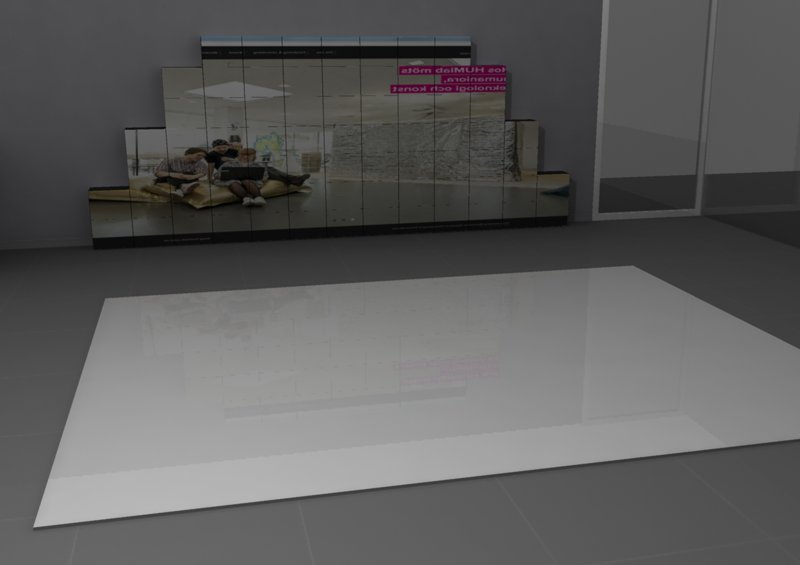
There is also a quality to the the triptych screen which I have always thought important – the fact that it stands out some from the wall five-six inches or so. It is not a part of the wall.
But even with this much screen estate, it can make sense to have have more screens. Screens are flat surfaces and for instance, we rarely give them depth through layering them materially (through putting post-its on them. Also the flatness of screens on a wall or facing us in front of takes away some expressive, spatial and narrative possibilities.
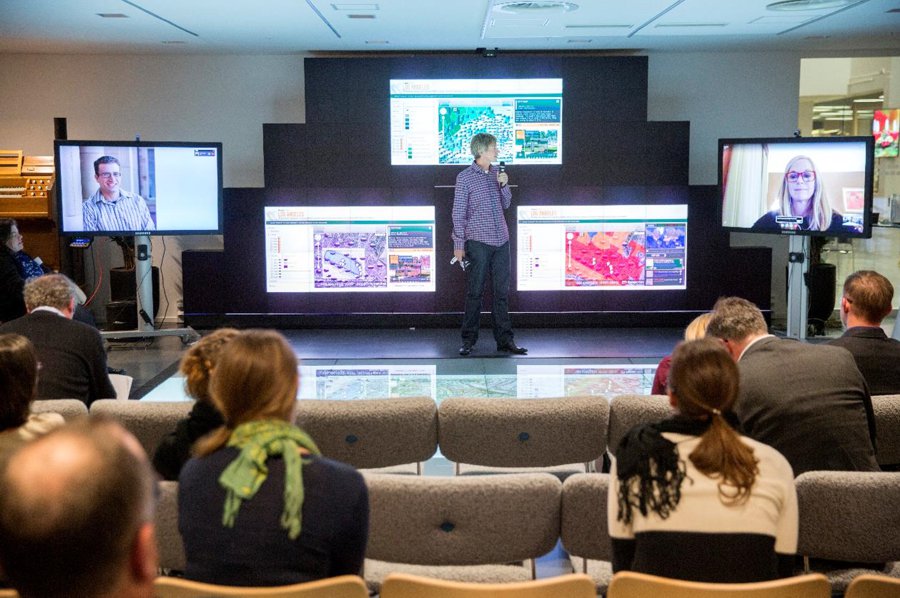
Bringing remote people in this way usually works well (in this case Lisa Parks and Todd Presner) and it is critical to have separate screens for them. I strongly believe in the power of letting those remote presences having their own screens and also not always being flat on the wall.
What is also important to think about (and is easily forgotten) is what information and sense of presence are given to the remote participants. Just using one webcam (to allow a view of the audience) is not good enough, particularly not if you have several remote people present at the same time.
Below is an example of having a group of remote participants be present at the same time. Here the roundedness of this part of the screenscape (the space discussed first in this piece) is really useful for bringing in people digitally.
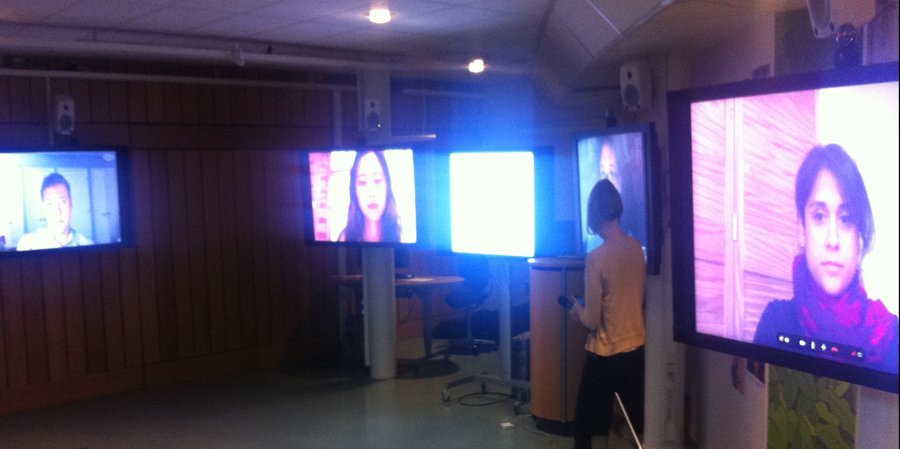
The blank screen is a mobile screen brought in to allow one participant to show some slides. Curatorship is critical making something like this work (here done expertly by Molly Wright Steenson).
When planning HUMlab-X on the Arts Campus one of the first concrete ideas was a display studio (I talked to the Institute of Design about this at a very early stage in the planning). When moving ahead in the planning process, I made sure we had space for this function.
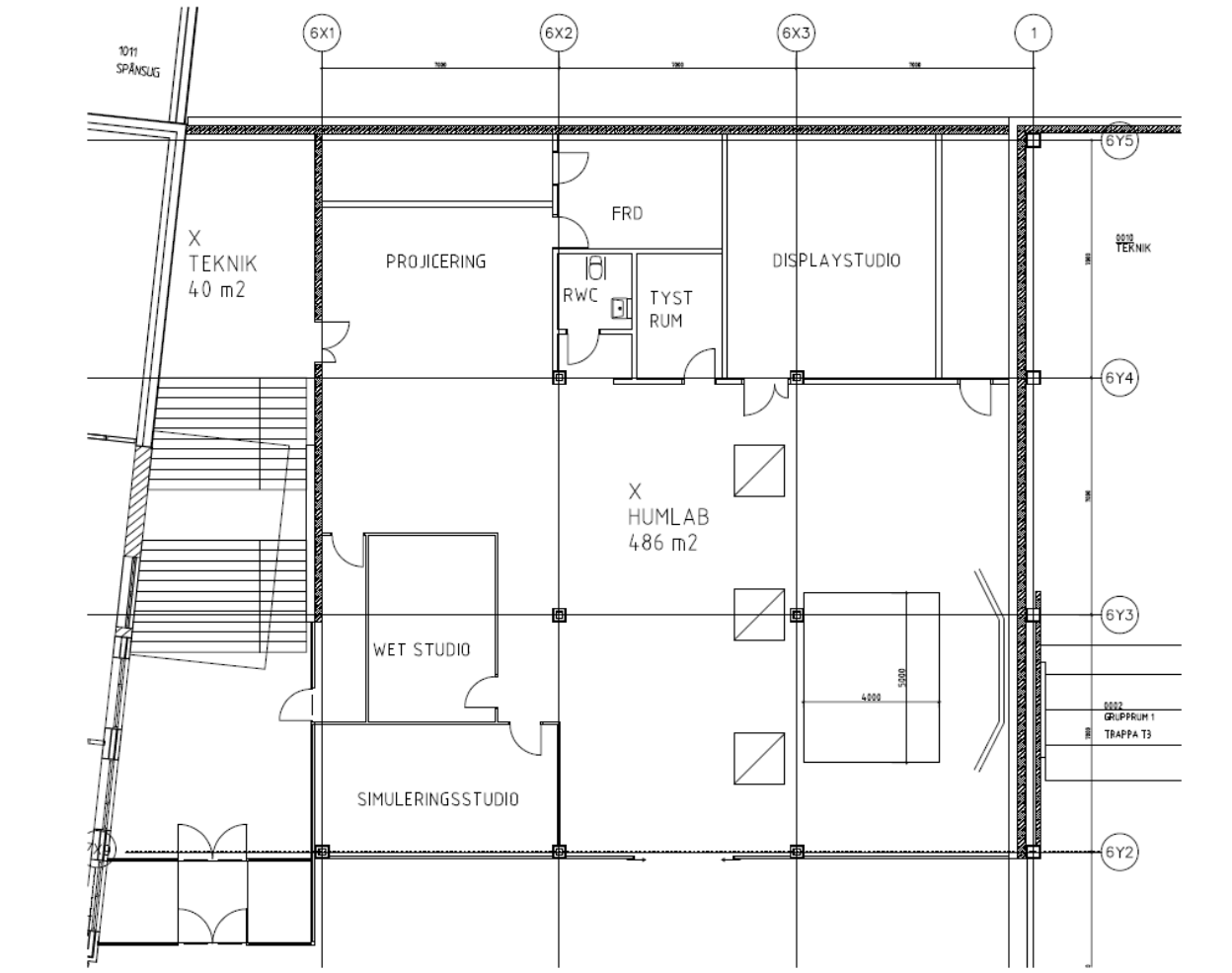
As can be seen above, a rectangular space was set aside for this function (top-right most part of the blueprint). When the lab was built we started doing work on the outside spaces and infrastructure mostly, and we left the display studio to a later stage. When starting to think about this again and seeing the space, I became more and more skeptical about the planned setup. I was sure it would be effective in some ways and with stereo projection, the space would be quite useful for certain kinds of visualization and certainly impressive, but it simply did not seem to be interesting enough conceptually. A large, rectangular screen is the default thing to do, and I also sensed that the space would become too much of a movie theater setup. It did not provide a conceptual and material challenge, and I was interested in a more active space and in something that related to the ideas about intellectual middleware we had started to explore more in depth.
I discussed these issues with Erica Robles-Anderson when I was in New York City on a business trip talking to people about space and infrastructure. In an evening meeting, Robles-Anderson and myself started to talk about angled screens and I drew this sketch on a napkin.
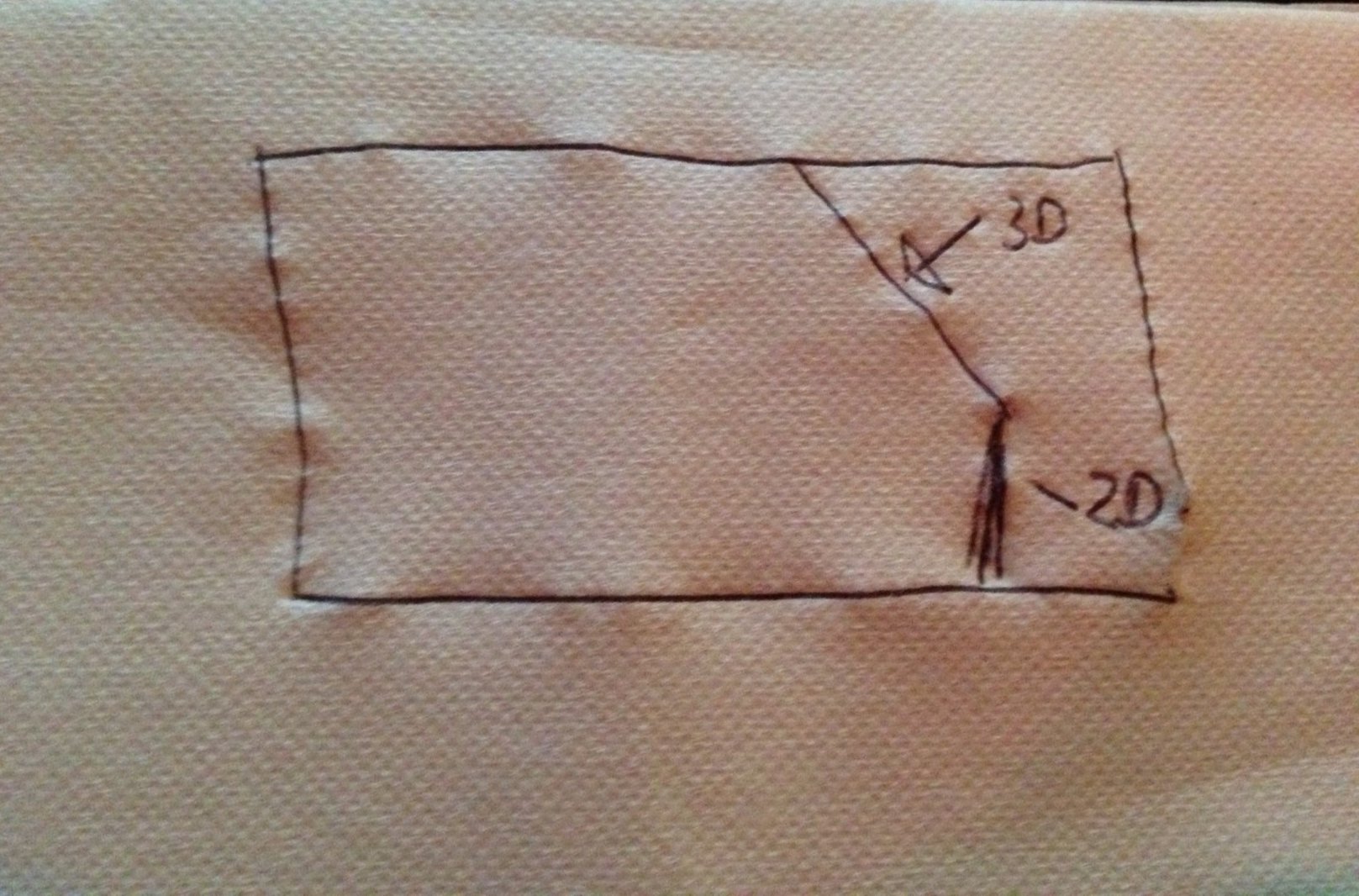
The basic idea was to rethink the space through providing angled two-screen setup, where the two screens would be in conversation with each other. This would enable a critical commentary on platforms and systems that normally exist only by themselves (notably 3D enactments, virtual reconstructions, games and to some degree websites). One of the screens was planned to be a high-resolution stereo projection screen and the other one a more traditional 2D screen placed at angle in relation to first screen. the way this concept eventually turned out almost fully reflect to angle represented in the napkin drawing.
We produced a number of digital sketches in the process (expertly made by Mattis Lindmark). Johan Von Boer, brilliant technologist, suggested implementing the tall right-hand screen through two tilted projectors. Below is one of the sketches produced in the process (running Rome Reborn at the same time as enacting a dynamic critical commentary on the right-hand side).
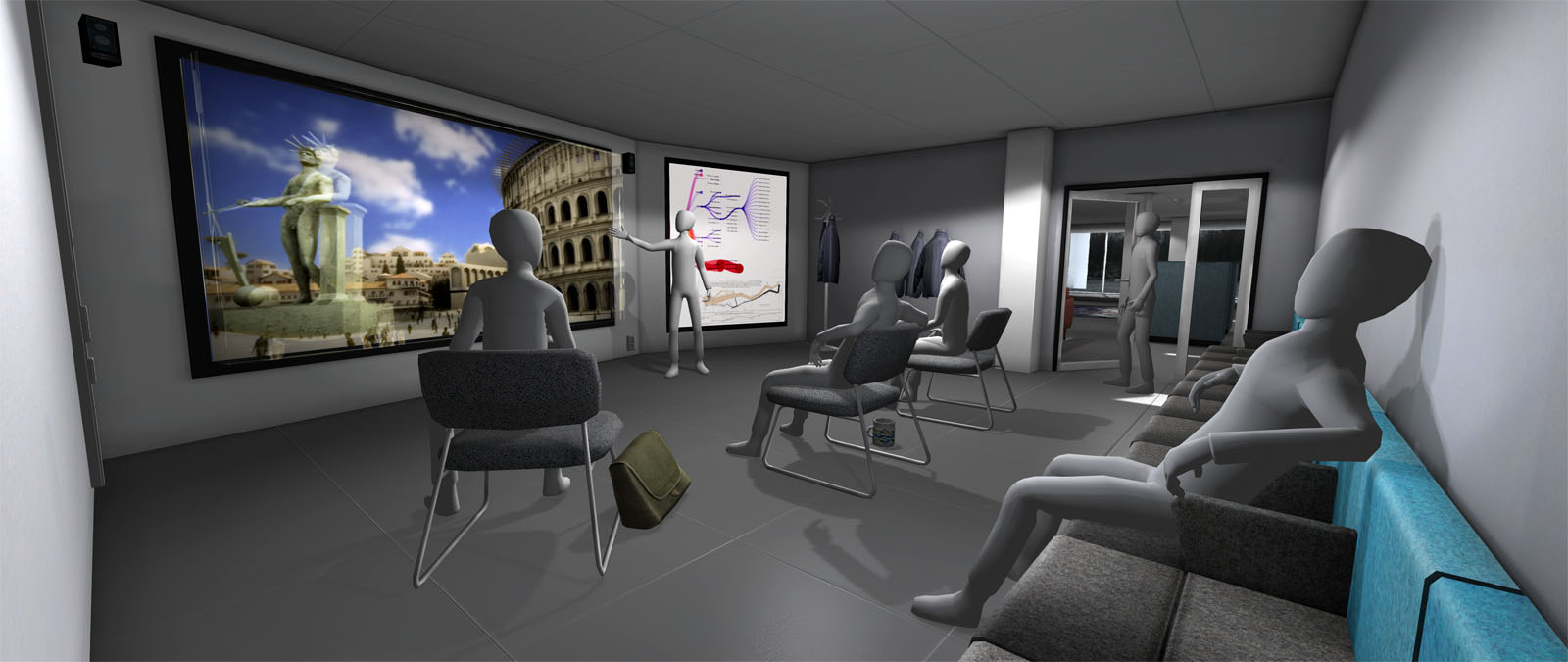
The idea was that differently shaped screens allow presenters to provide different vantages on the same information, with attention to the disjunctures between these visions. The display studio is still in its infancy, but provides a unique and exciting infrastructure to critically explore the single-framedness and insular platformness of much of current digital representations.
Below a simple example of early use of the display studio can be seen. The context was a graduate course in digital humanities where I did a session on the digital humanities. The focus was partly a discussion of the digital and the humanities parts of the digital humanities. The angle is all-important to make this point.
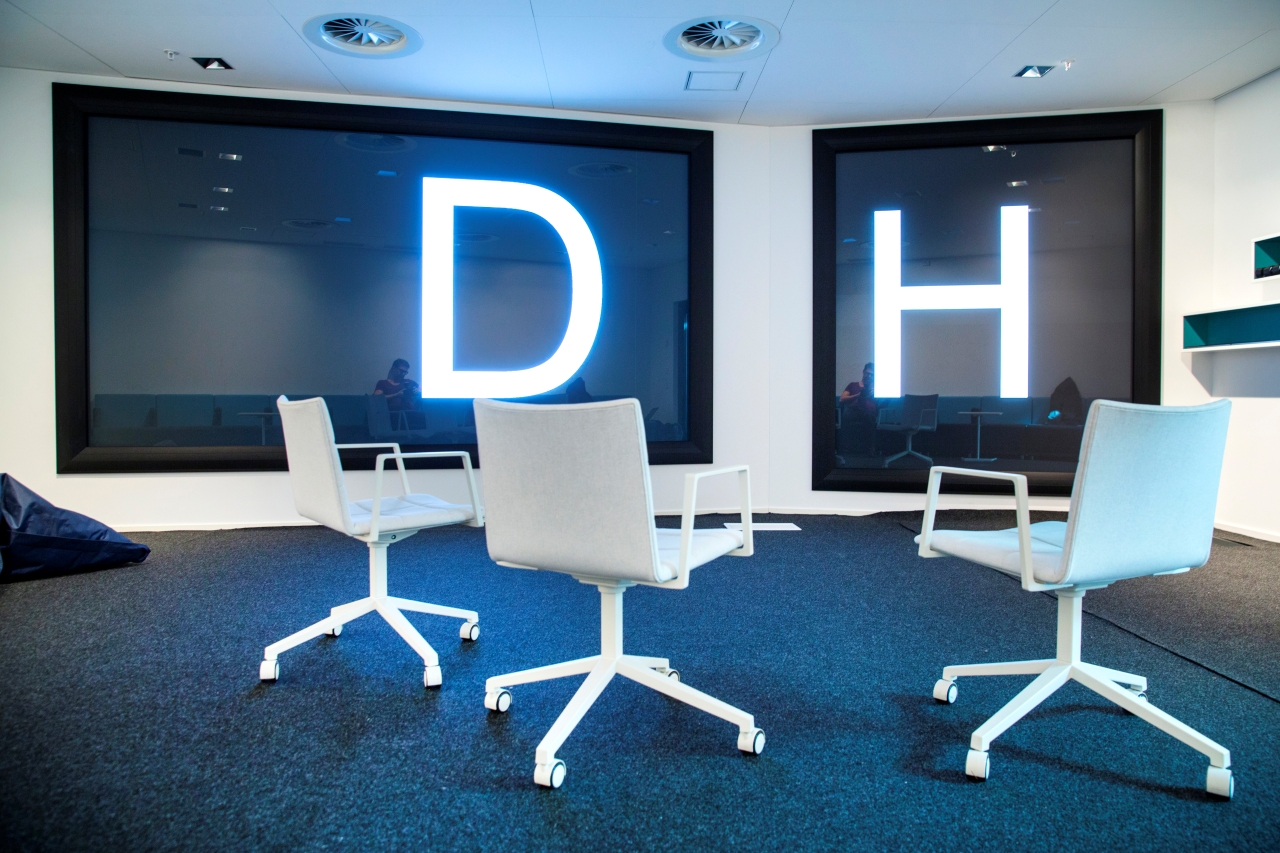
Photo credit: Johan Gunséus
The next installation in this series of blog posts will deal with software systems used to produce content for alternative presentation environments.
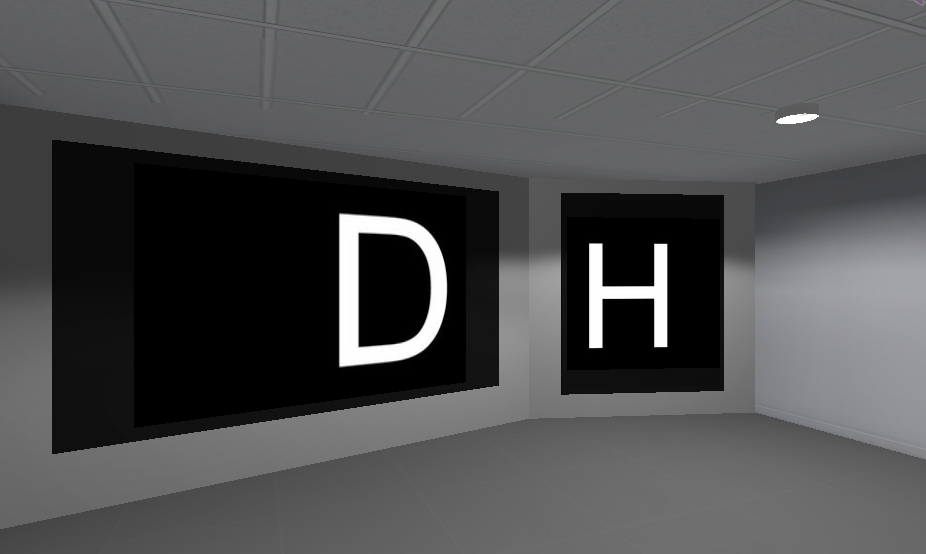
One of the tools we produced in HUMlab can be seen above. This is an idea – based on humanistic research about presentations and space – that I was fortunate enough to implement with a group of first-rate technologists (Roger Mähler, Johan Von Boer and Mattis Lindmark) into a tool for generic use in the lab. It will be featured in the next post alongside a number of other tools and systems.
Images credits (unless specified): Patrik Svensson and Umeå University.
Some of the development of early HUMlab infrastructure is described in this piece.
Svensson, Patrik. 2015. “Presentation|Tech (III): Angled Screens”, Published on September 29, 2015.
Presentation|Tech (IV): Curating events
First published October 12, 2015
Presentation, presentation technology and presentation culture all depend on curation and curatorial practice. In a sense, any presentation and presentation environment is curated. A number of choices have been made to create the environment even if it is a default type of setup with a screen upfront and rows of chairs. When a moderator allows a presenter at a conference to speak for longer than the allotted time slot, this is an example of curation (or rather, lack of curation).
My interest in curatorial practice is both related to events (I am working on a book project on academic events) and to the digital humanities more generally. In my forthcoming book on digital humanities, I suggest that curatorship is a key process for doing work in the digital humanities. I will not repeat that lengthy argument here, but rather first reflect more mundanely on curating events based on two examples: a corporate event and an upcoming workshop at the Graduate Center, CUNY. I may do a longer post in this series later on curating events.
Example 1: Surrounded by CEOs
I once attended a large-scale corporate event with more large-company CEOs than I ever seen before. We were involved in producing something for the event and I was also supposed to a five-minute presentation about HUMlab and topic under consideration (social media). Although I had done quite a few academic events, this was a very new experience in several ways:
The scale. This was a large operation and there were something like 25 people involved in the production.
The sharpness of it. Unlike many academic events, this was professional-rate in terms of rehearsal, time management and production. Also most of the key people came to the rehearsal. There is a cost factor here, of course, but also a sense that one has to be professional as a speaker. it is not okay too use too much time or not be prepared for instance.
The technological setup. I am fortunate enough to have done much of presentational work in an environment (HUMlab) with fantastic infrastructure and first-rate technology and human support. There is no comparison there, really, but it was interesting to see the production studio setup of the corporate event. And the preparations that went into the all this. Again there is a major cost factor. Another observation was that although they had a three-screen setup, they did not really use it as we would in HUMlab (experimentally, to tell a story) but rather to replicate the same “story” again.
Curatorship. Academic events can certainly have very strong curatorship, and corporate curatorship in this case was fairly instrumental, but taken very seriously. And there were no glitches. There was a production leader who did a very good job (but the whole ting was fairly templated and production-focused, which meant that there were limited experimentation).
At rehearsal (in a grand space) there were probably thirty people present and the production leader interrupted me immediately and asked whether I really needed to have notes and also why I had notes with such a small font. It was a humbling learning experience. And again, a great deal of sharpness which I really appreciated. I think academia can learn from these kinds of events, but also it is important not to lose the level of heart, creativity and flexibility that are part of really good academic events. And not everyone or everything necessarily has to be a polished, but I do think that many academic events could benefit from stronger curatorship and awareness of the conditioning of knowledge production that is suggested or enacted by the formats we employ.
Example 2: Critical making event in NYC on December 1, 2015
The below text was written before the event. The event turned out really well, and I will write about it in a later post. The photo is obviously from the actual event.
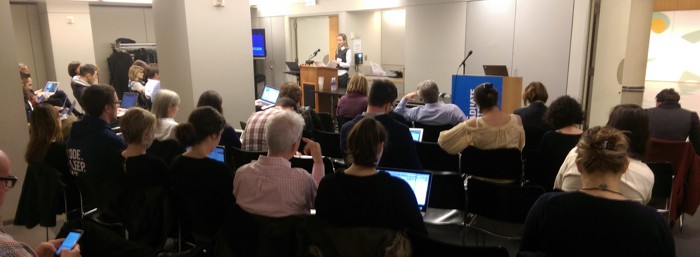
Right now I am involved in curating an event an event at the CUNY Graduate Center, New York City in early December on “Digging Deep: Ecosystems, Institutions and Processes for Critical Making”. I invited eleven people and all have accepted. I work closely in the organization committee with Matt Ratto, Univeristy of Toronto, and Shannon Mattern, New School, on this event. The theme was originally suggested by Matt Ratto.
I am very happy about the invited participants: Cathy Davidson, Anne Balsamo, Matt Gold, Matt Ratto, Maria Sachiko Cecire, Pelle Snickars, Sara Hendren, Dennis Tenen, Shannon Mattern, Thomas Augst and Natalie Jeremijenko. This is a formidable group of people with different backgrounds and expertise. We might end up adding or two more invited participants too.
Because I manage a larger share of the practical aspects of this event than I normally do back home (at HUMlab), I am somehow in closer contact with the development of the event. For instance, we use an online service for registration of participants, which means that I receive emails when people sign up. This has been a source of joy for me over the last two weeks. I guess I already knew that I enjoy curatorial work, but I am now more sure than ever, and I am excited about the opportunities that New York City provides. We truly have spectacular signups – from all over the place, different backgrounds (academia, art, activism, libraries, startups etc.), and I sense, with a strong interest to engage. Indeed, the list of signups makes me rethink and reimagine the event somewhat. And it seems relevant to make sure there is an opportunity for these people to network. If anyone reading this would like to make a donation to treat the whole group (probably about 40-50 people) to a nice (networking) lunch before the workshop, please be in touch with me.
This event will probably be less experimental in terms of use of technological infrastructure than the some of the experimental events I have curated in HUMlab, but we will think carefully about how to use space (and make there is space for everyone).
In between the two session, there will be Swedish-style fika (coffee break) with princess cake (traditional Swedish green marzipan sponge cake whipped cream jam kind of cake). Food and baked goods are also part of the curation (here I would have liked to quote Margaret Mead from The Small Conference, but I do not have the book with me).
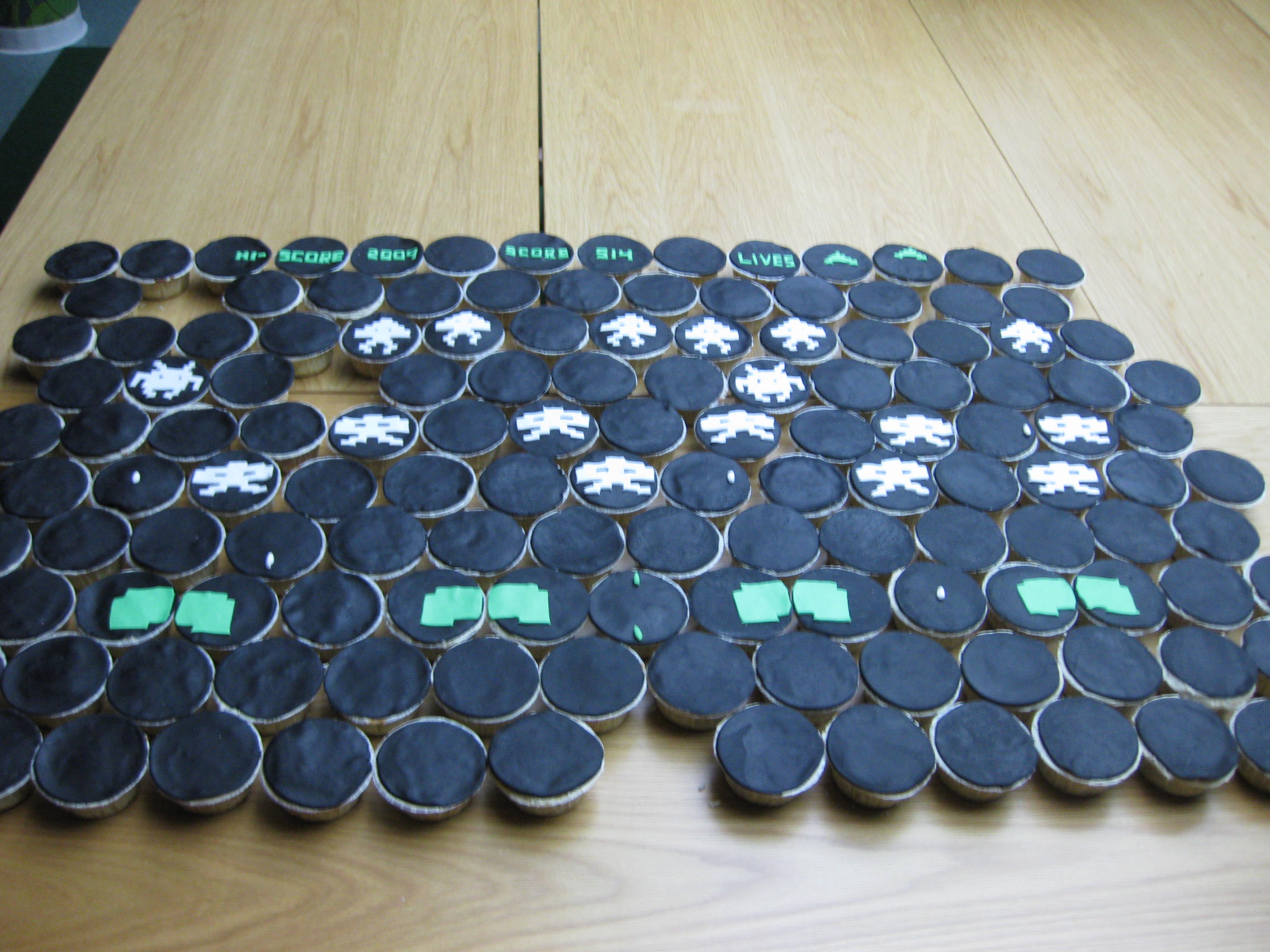
The fantastic cupcake scape from a 2009 HUMlab event (creator: Stephanie Hendrick).
There is still time to sign up for the critical making event (by October 16). The next post in this series will be on software/hardware systems to run presentations.
Some further observations
There are some qualities I find particularly important with regards to curating events. Please keep in mind that there are many different types of events and occasions, and that curators have individual preferences and styles. These are just some preliminary observations.
Practical curatorial skills. There are certain rules to any (academic) event and the curator/s must be able to reinforce these rules. Time is an important factor here. I once asked a high-level professional moderator about advice for how to intervene when people use too much time. This person – who would often moderate people not used to be told what to do (international CEOs etc.) – told me that he would look for a moment to connect to something that speaker said and then round things off even if the speaker was not planning to finish. Myself I often use physical proximity to indicate how speakers are doing with regards to time. Humor is a useful asset and also just being able to tell people they are out of time. But equally important is to be sensitive to how an event is unfolding and sometimes the right thing to do is to let a session or a person go on for much longer than the allotted time – essentially breaking the rules – because there is need for that discussion and because it is shaping the event.
Challenge and play with the format. There is a strong template for academic events which structures the conversation (programming, speaker slots, the space, hierarchies etc.). I suggest that we should challenge this template much more strongly. It is true that alternative types of events – such as unconferences and thatcamps – do this to some degree, although they come with their own templates and assumptions, but I believe that also more traditional events can be experimental. The event itself can also be an enactment of an idea or be a provocation. And really small things can make a difference. For instance, with panels where there is one keynote participant (who has more time etc.), I have tried to frame the session in such a way that all participants engage with the theme in question rather than the non-keynote participants having to relate to the keynote speaker (as commentators).
Have a vision and a programmmatic strategy. Very large serialized conferences may not lend themselves easily to strong ideas and programming. The format is fixed, there is no single track and the event has to work for a large number of participants with diverse interests. Individual session or tracks may work better for curatorship, but often only on a limited scale. With smaller conferences and workshops there is more opportunity for curatorship and suggested intellectual direction. This is related to what Margaret Mead calls “the small conference”.
Work with contrasts and tensions. There are many different ways of structuring or encouraging an exchange of ideas. I have found it useful to work with contrasts and tensions – to group people and themes in such a way that there is difference of opinion (not the kind that would likely lead to fist fights, but the kinds where there is space for dialogue and marked differences in opinion).
Think about the material side of things. In many contexts, parameters such as space, presentation technology and digital platforms may be more or less given, but there is often some room to change or tweak such systems. For instance, people who take part in events in a distributed manner with a video representation are often shown on large screens (typically used for presentation slides). This has always seemed a bit weird to me. Why not use a small screen instead?
Svensson, Patrik. 2015. “Presentation|Tech (IV): Curating events”, Published on October 12, 2015. Updated on March 30, 2016.
Presentation|Tech (V): Software and hardware
patriksv March 28, 2016 – 2:16 pm
1. Introduction
This is the fifth installation in a series of articles/posts on presentation technology and culture. The previous articles deal with Preliminaries, infrastructure and HUMlab, Performing scholarship, Angled screens and Curating events. This post contains some notes on software and hardware.

In the default classroom setting with a screen and a computer (and a laptop connection) there may not be a whole lot to consider in terms of software and hardware. The software is typically PowerPoint, Acrobat or a web browser. Slideware (PowerPoint, Keynote etc.) is the standard software platform. The screen is likely to be white, widescreen and connected to a projector (if relatively new, the resolution may be full HD, but very rarely higher than that). Expectations and templates are pervasive. It is very unlikely that someone would come to a traditional conference setting expecting to run content on two screens using a specific type of software. The templates are strong and are rarely challenged. At the same time the world is changing.
2. Presentation software and contemporary/emerging presentation environments
The software we primarily use to make/enact presentations has clearly not kept up with the development of presentation environments. It is true that most presentation environments are still very traditional (classrooms etc.) and do not change often or easily, but the proliferation of screen and interaction technology is changing the game. It is getting more common with more than one “set” screen in venues and most of us carry one or several screens on us (phones, tablets etc.). This development can also be related to the growth of alternative physical-digital environments (open creative spaces, flexible learning spaces etc.) in academia, at least in some parts of the world.
Most presentation software – including slideware – was designed for single screens and their logic does not easily (or at all) extend to multiple screens. There are ways of extending a series of slides across several screens and slides/content can be duplicated across many screens, but that is fundamentally different from engaging with story-telling across several screens beyond the serial slide model.
There is commercial software, such as WatchOut, which works in complex display environments. However, this type of software was essentially built around a time-based and pre-processed model – much like video editing software or professional broadcasting systems – which works well for video-based content, but often requires time-consuming work processes and will not enable easy on-the-fly editing/production of content (which is one of PowerPoint’s key strengths).
3. The role of resolution
Another important factor is display resolution. Although the resolution of large displays has not increased as much as that of small screens, there is a drive towards high-resolution screens, which also changes the basic conditions for story telling. Slideware was built for low-resolution content in several ways.
First, anyone who has tried to incorporate several very high-resolution images in a PowerPoint presentation will know that the software does not scale well. It becomes very sluggish (even on a fast computer with plenty of resources, a good video card etc.). The software was simply designed for relatively low-resolution screens, and with “normal” presentation displays it does not make sense to have high resolution content. Nowadays high-resolution content in this sense would be higher than full HD – maybe as high as 4K and beyond. In my experience, problems arise if you try to keep images high resolution internally (in PowerPoint) and also if you try to work with high resolution canvases (i.e. having a great deal of high-res content on one slide). It is also interesting to note that it may not be possibly to easily run high resolution content even in display environments designed to managed 4K resolutions – this has happened a couple of times to me, and the gist (I think) is that they are not really expecting really high resolution content (this is not true of high-end visualization environments in general, but sometimes the challenge is the coming together of everyday presentation tools and high-end displays).
Second, the basic logic of the slideware software does not give the presenter and audience any means to engage with high resolution content beyond just displaying the image. Alternative ways of engaging with content – for instance through zooming – makes much more sense with high resolution displays and content, but it is not supported by slideware (although there may be some simplistic zooming function available). While a tool such as Prezi is built around zooming for navigation it also built around a serial (almost slide) model.
In some less traditional presentation environments – including visualization labs and centers – it can be more natural to walk up to the screen, which is another way of engaging with detailed content (also through touch and sensor devices), but this is rare and also here performance problems with high-resolution content can be a problem. Such environments tend to have scientific or custom-made software, which is useful for some things and is likely to support zooming as narrative strategy for example (a key device in Planetariums for instance), but often does not support “easily” produced scholarly narratives across a range of uses. There is a tension between generic and specific applicability here and also between conventional and high-end environments.
4. Standardization
A wider range of available screens and resolutions threatens the pervasiveness of a tool such as PowerPoint, which has essentially created a standardization of presentation situations. This standardization has been a key strength for the tool. It is rare (especially these days) that a PowerPoint file will not work in a presentation venue and often PowerPoint is what is expected. Furthermore, what was produced in PowerPoint on a local computer deploys to almost any presentation system in such a way that the presentation view looks like what showed on the local computer (in presentation mode).
The spread of wide-screen screens from about 2003 challenged this uniformity as there were (and still are) two different main ratios for presentations. A 4:3 presentation will work on a 16:9 or 16:10 screen, but not seamlessly (there will be black swatches on the sides of the screen). Currently, however, 4:3 screens have become very rare, and in a way format standardization has been achieved again. However, as noted above, changing information ecologies and screen resolutions challenge the standard presentation. This challenge is more serious as it seems contradictory to some of the basic logic of the software. In this sense, what we are seeing may be described as more of a paradigmatic challenge.
5. Sketching tools and interpretative presentations
The article series emphasizes “presentations” as way of enacting and co-creating knowledge, research and learning. The production of presentations (whether by a single person or a group) is a knowledge process tightly integrated with scholarship and the ideas being presented/enacted and this process is affected/enabled/conditioned by the tool or tools used. I recently attended a workshop where one of the presenters could not not show slides (because of time constraints). He kept making reference to the slides and was doing the slides on his own laptop to keep the presentation going. This simple example shows how the slide is part of how we think about and articulate our work. It also demonstrates how presentation tools help the presenter (sometimes more than the audience). Software and hardware do not determine how we make or present scholarship, but are part of knowledge processes and shape them to some extent. This means that we need to pay critical and creative attention the exact material/narrative/conceptual details of technological systems used to present our work.
The display system (Screen Scape Media System) we built in HUMlab to manage alternative infrastructure and presentation concepts is an example of such work (I would like to think). The below example comes from Nick Sousanis (who did a great presentation for our 2014 Genres of Scholarly Knowledge Production conference).

Scholarly work, digitally available materials and tools are getting increasingly integrated, and it would seem that we are moving from an “access model” to tools and platforms that are processual and interpretative – an integral part of the scholarly and/or educational process. A current example is the “magic wall” used by CNN (and John king) in the ongoing election process in the US. I took this shot a few weeks ago. It is striking how Mr. King is interacting with the magic wall and that is not just a tool for presentation. He uses it when he is not on camera and he interacts with it all the time when on camera.
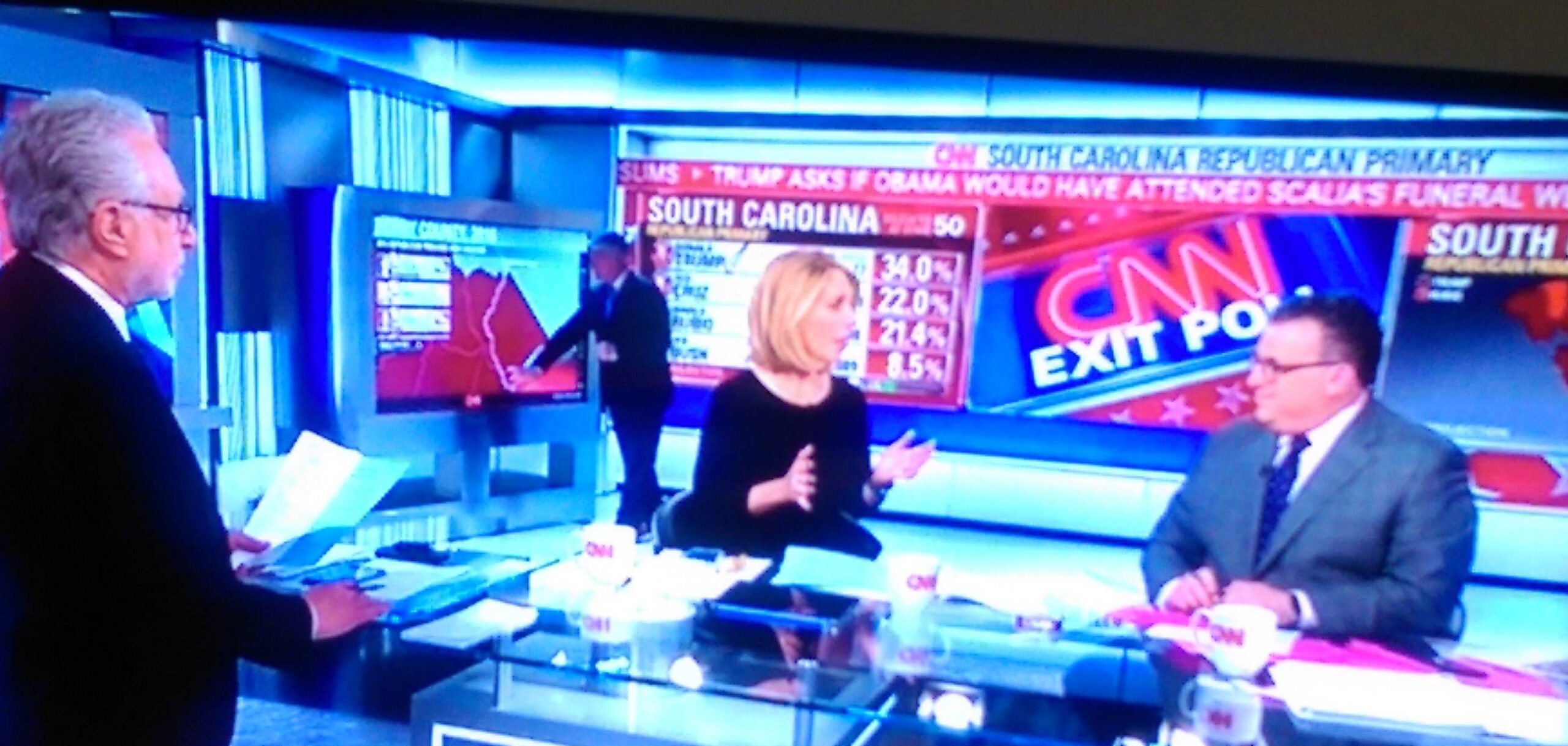
There is a significant difference between a presentation that is ready-made and static and a presentation that is dynamically connected to data and research questions. In particular I would like to stress how tools can enact critical perspectives and allow experimental work. There can be a tension here between generic, ready-made off-the-shelf tools (such as PowerPoint) and tools that enable particular modes of engagement and critical readings.
Svensson, Patrik. 2016. “Presentation|Tech (V): Software and hardware”, Published March 28, 2016.